



Speed up work
Make critical path schedules that show the shortest time needed to complete your project, all while monitoring your progress to keep the project on track.

Managing the critical path
ProjectManager lets you identify, schedule and manage critical path activities with a full suite of project management tools.

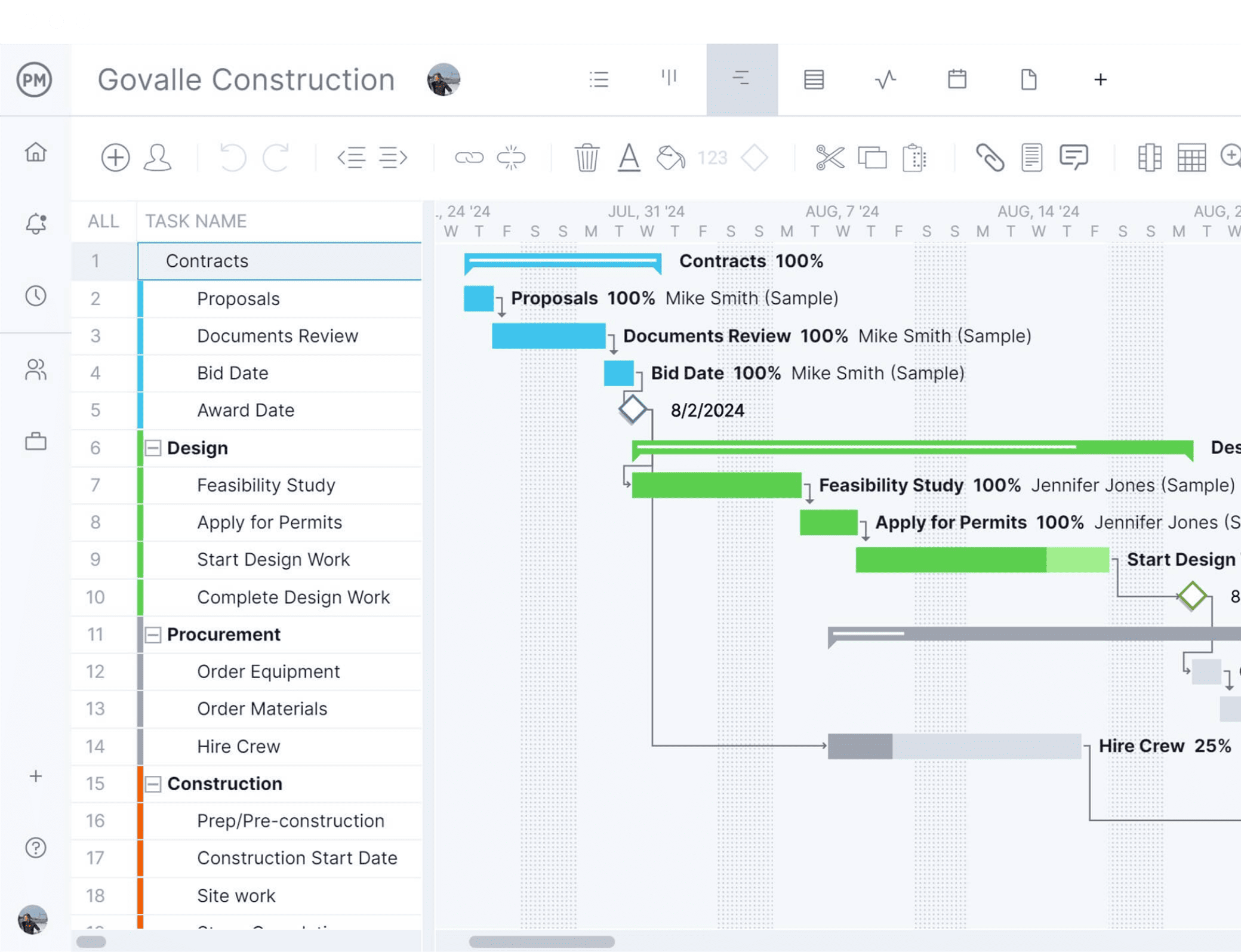
Track with online Gantt charts
See how close to completion your team is on their tasks by checking task dependencies, due dates and percent complete on the Gantt chart.
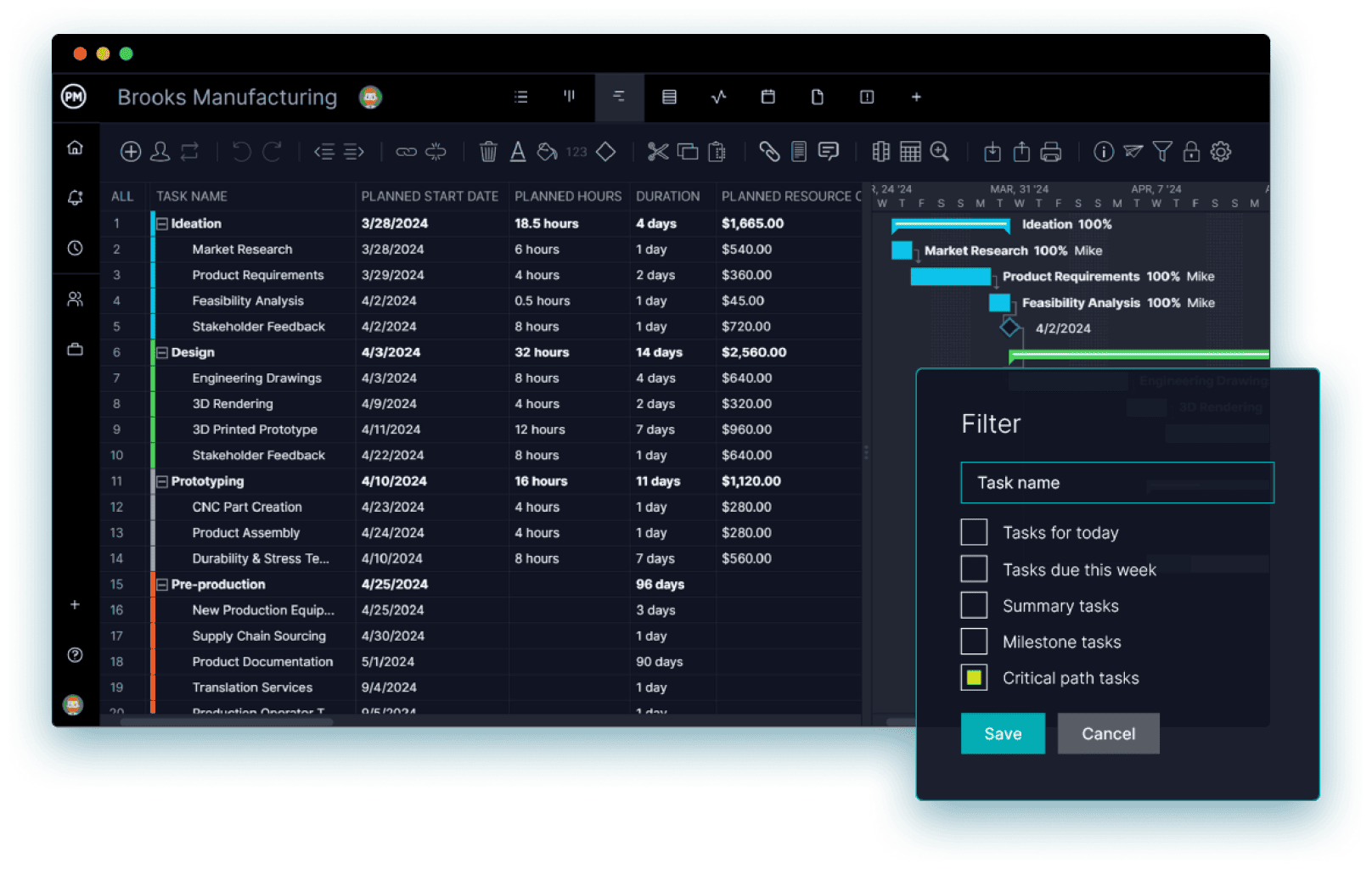 Critical path tasks onlyFilter the Gantt chart in one clickDesign phase: 14 days32 planned hours, $2,560
Critical path scheduling
Calculate the critical path of your project on our online Gantt chart.
- Load tasks, set start and end dates and link dependencies
- Watch tasks populate the project timeline automatically
- Filter for the critical path to see which tasks come first

Manage critical tasks & drive performance
Assign critical tasks to team members, track their progress and collaborate in real time.
- Get email alerts the moment a task is updated
- Filter tasks by due date, owner, project and more
- Share comments and files right on the task
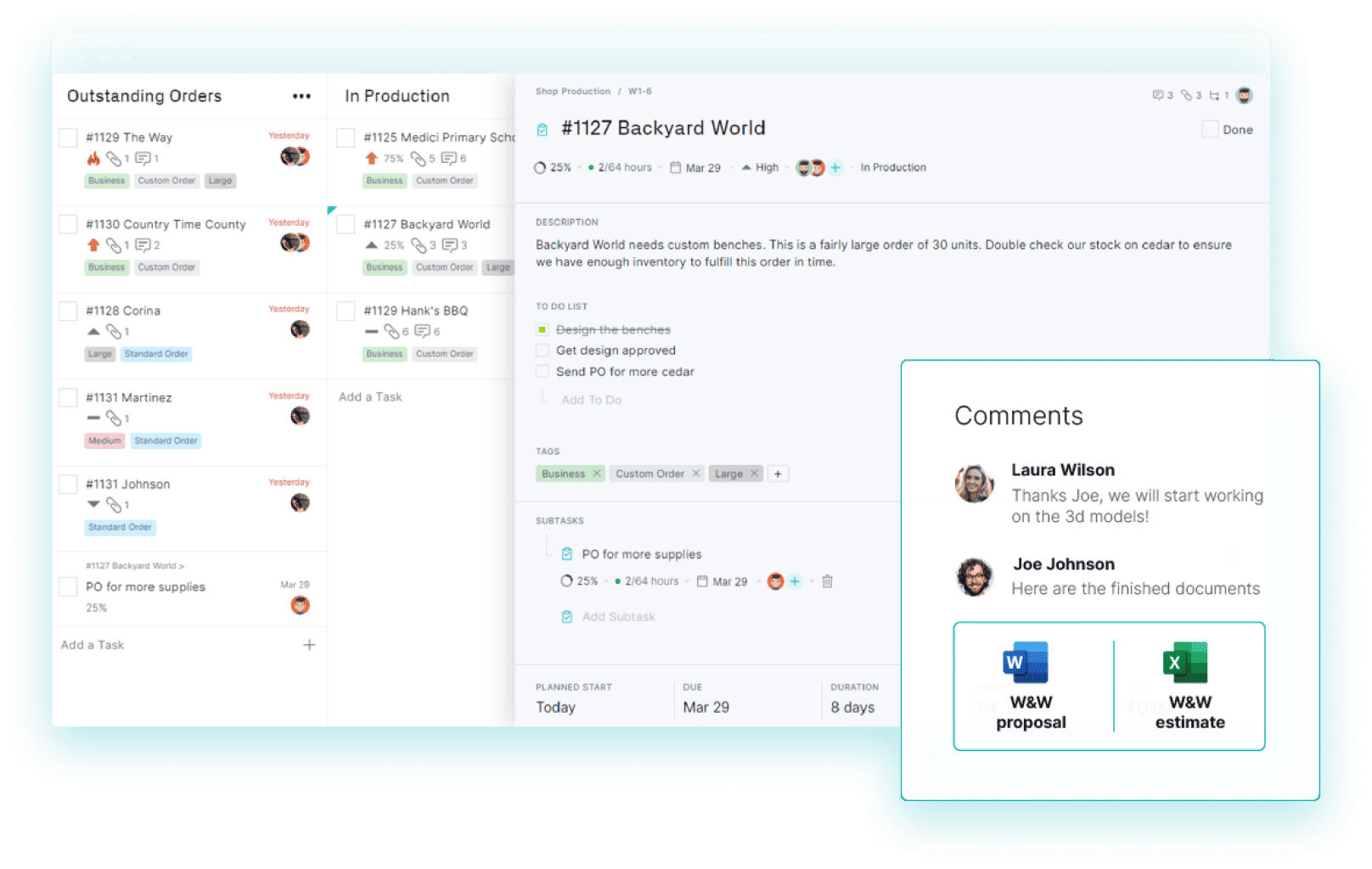 #1127 Backyard World set to HighDue Mar 29, In ProductionJoe Johnson shared 2 filesW&W proposal and estimate
 0 tasks overdueProject health, updated livePrint the charts you needCost and Progress selected
Keep track of slippage
Stay the course on your critical path with real-time dashboards and reports.
- Spot issues and bottlenecks before they sidetrack the project
- See status updates reflected instantly across the software
- Make data-driven decisions based on what’s happening now
Easy-to-use critical path software
ProjectManager is a critical path software equipped with powerful, yet simple to use project management tools. Simply drag and drop tasks to create a project schedule and our Gantt charts will automatically identify critical path activities for you.

Import & export
Upload your task list and share your project plan.

Online project dashboard
Monitor progress across six project management metrics.

Timesheet tracking
Stay updated as your team logs their hours and improves efficiency.

Progress reports
Generate reports on progress, variance and more.

Cloud-based critical path software
Get real-time data for better decision-making.

Resource management
Keep your resources balanced and stay on schedule.

Project tracking tools
Gain insight into all the projects you manage in one place.

Collaborate with your team
Automatic alerts and team collaboration tools keep you and your team updated.
Top features of our critical path software

 Timesheets
 Gantt
Gantt Reports
 Dashboards
 PPM
PPM Security
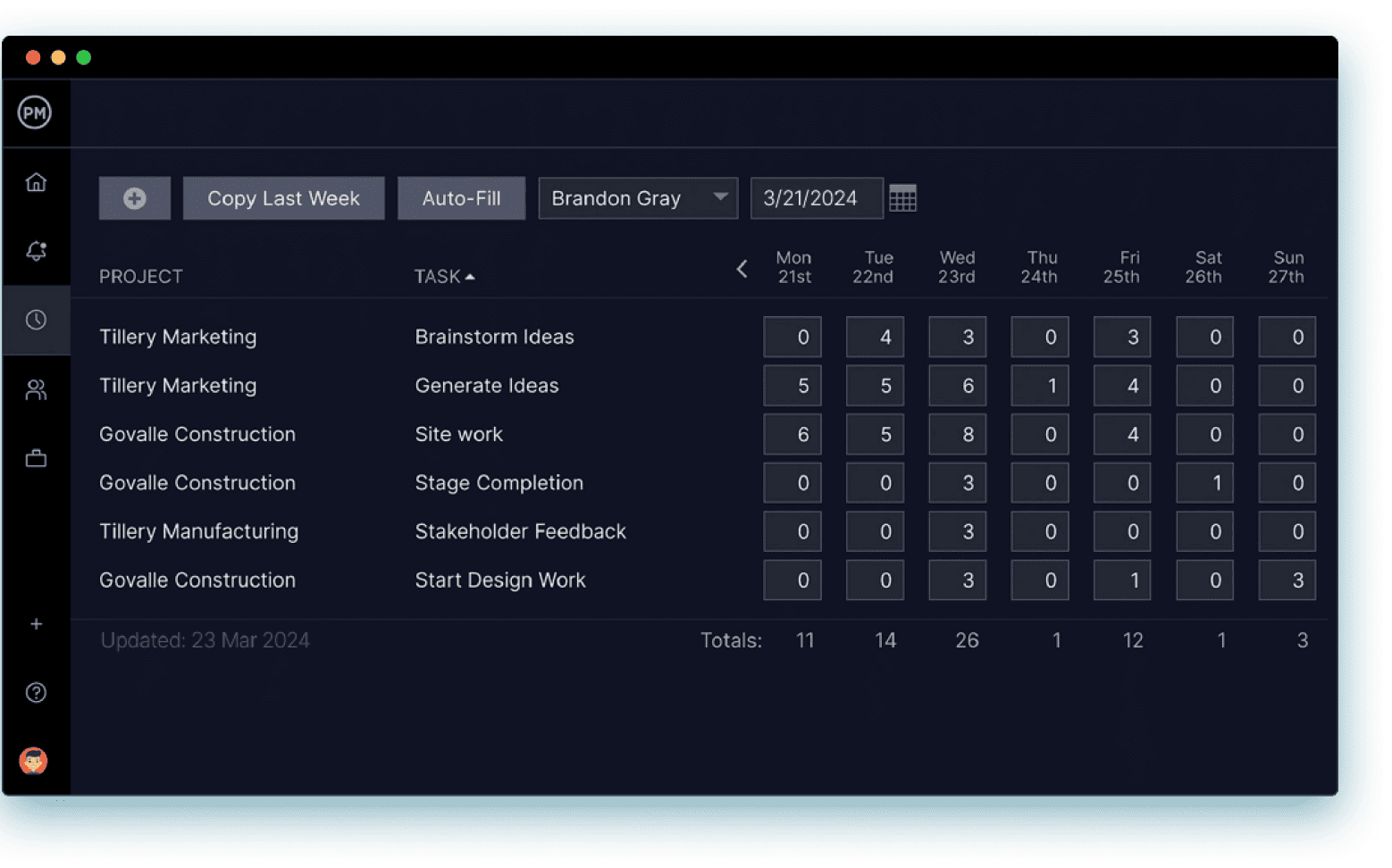
Know hours logged on tasks
Keep track of the time your team is spending on their tasks with secure timesheets. When teams update their tasks, that data is shared throughout the critical path software so you can easily see if you’re staying on schedule. Timesheets are always secure and can streamline payroll for greater efficiencies.
See your critical path instantly
Chart the critical path of your project by filtering the Gantt chart. It’s that easy. Once you’ve added your tasks, duration, linked any task dependencies and break the project into phases, we do the hard calculations for you.
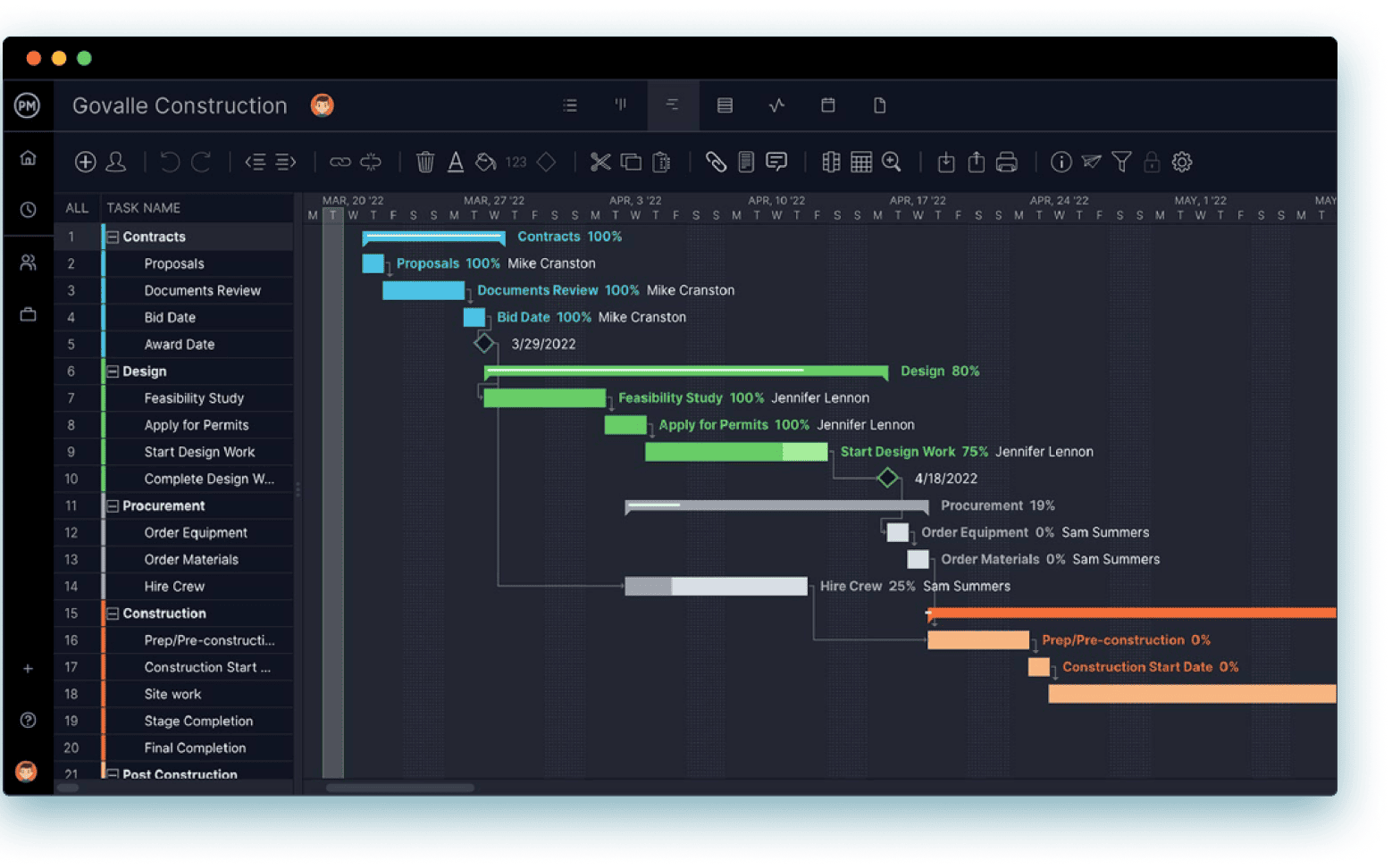
Keep track of your progress
Get reports on project variance and others metrics with a single click. See where you are in the project compared to where you planned to be. Get reports on progress, tasks, costs and more—and all can be filtered to show only the project management data that you need.
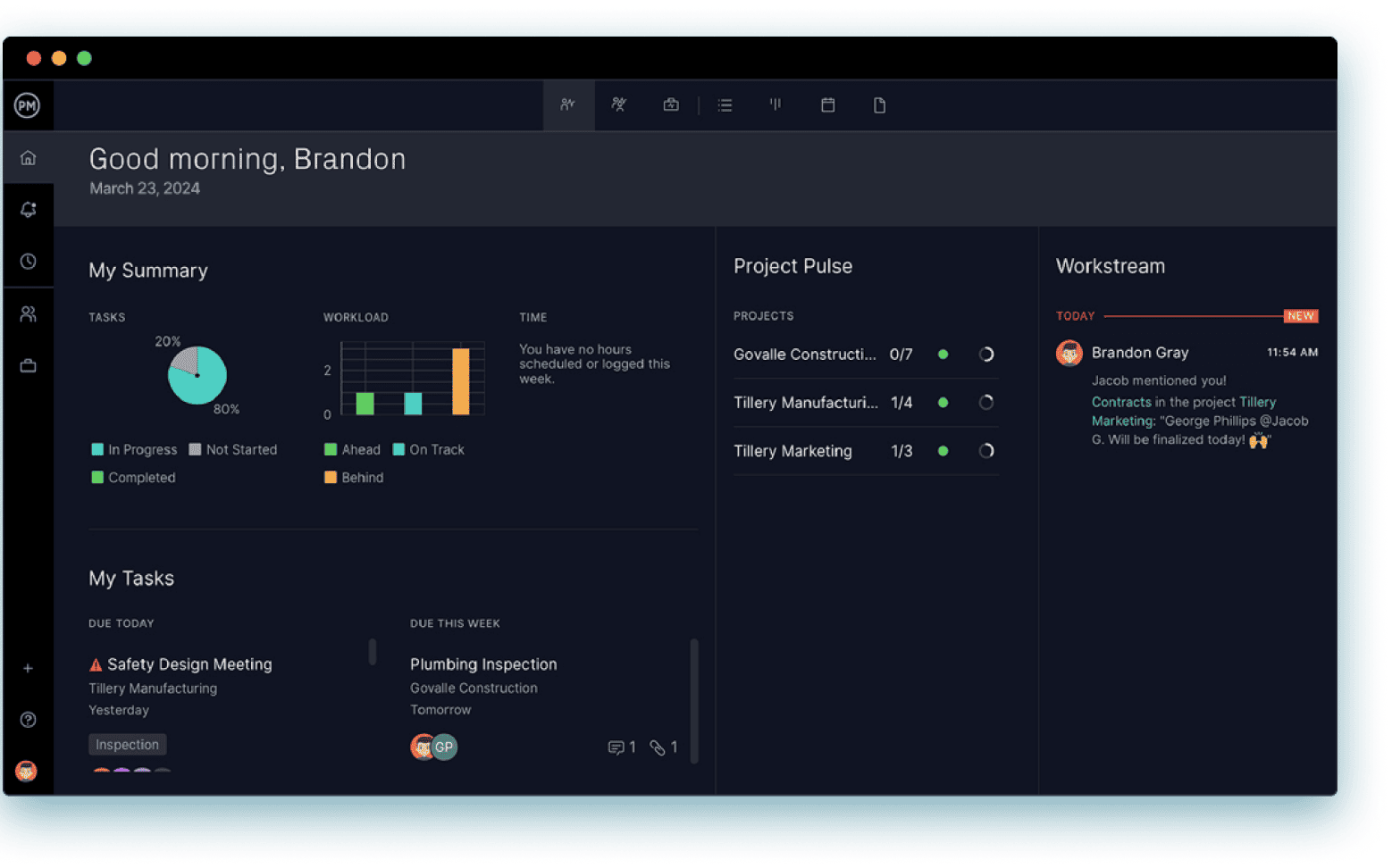
Get real-time data
Track your project at a high-level with a dashboard that automatically crunches your data into easy-to-read charts and graphs. View up-to-the-minute information on your project health, time and workload to catch issues before they turn into problems.
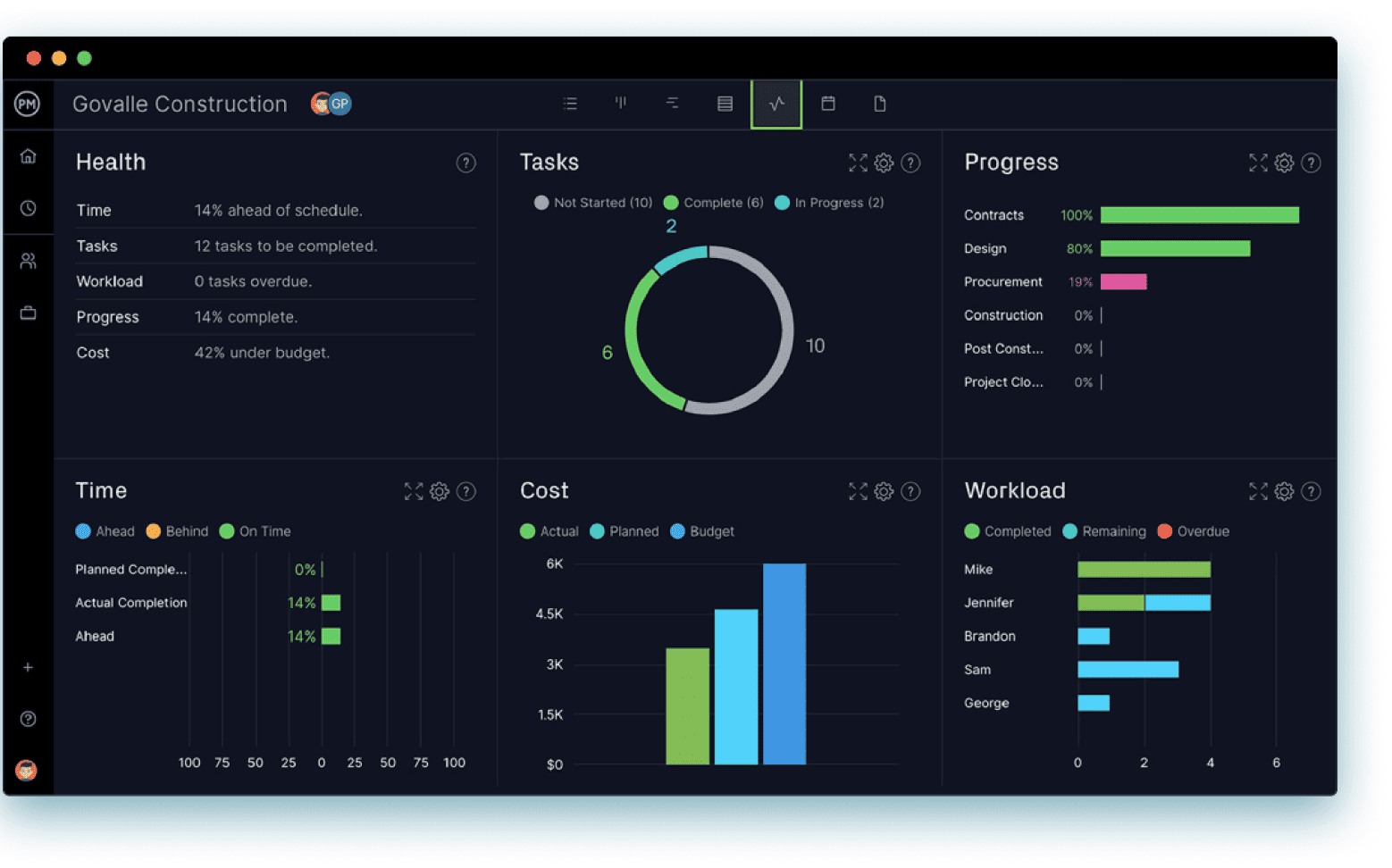
Manage programs & portfolios
Get transparency into all your projects with our portfolio features. Drag and drop projects into folders to organize your portfolio and use those folders to monitor their performance with a high-level dashboard, roadmap and workload views.
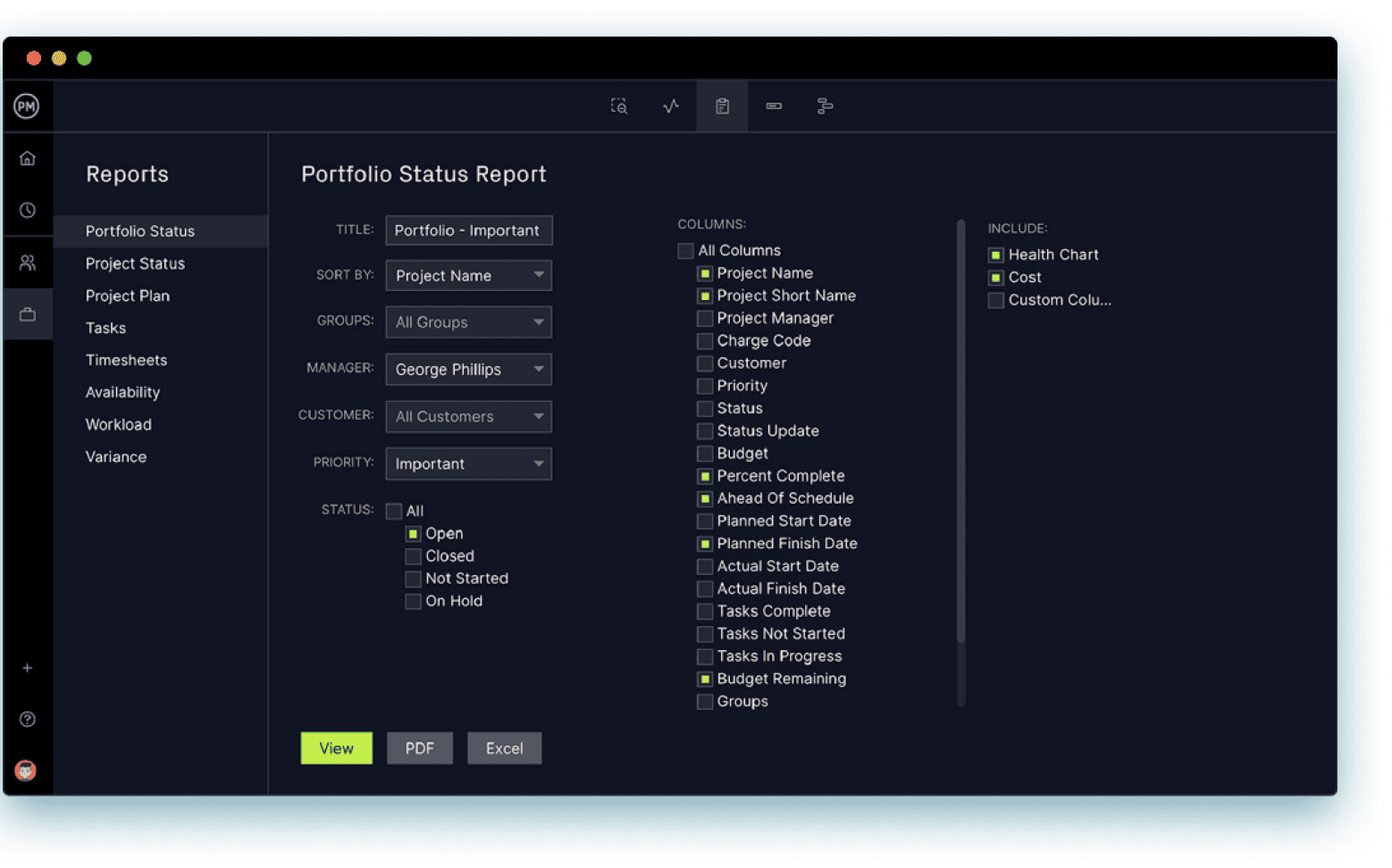
Keep your data secure
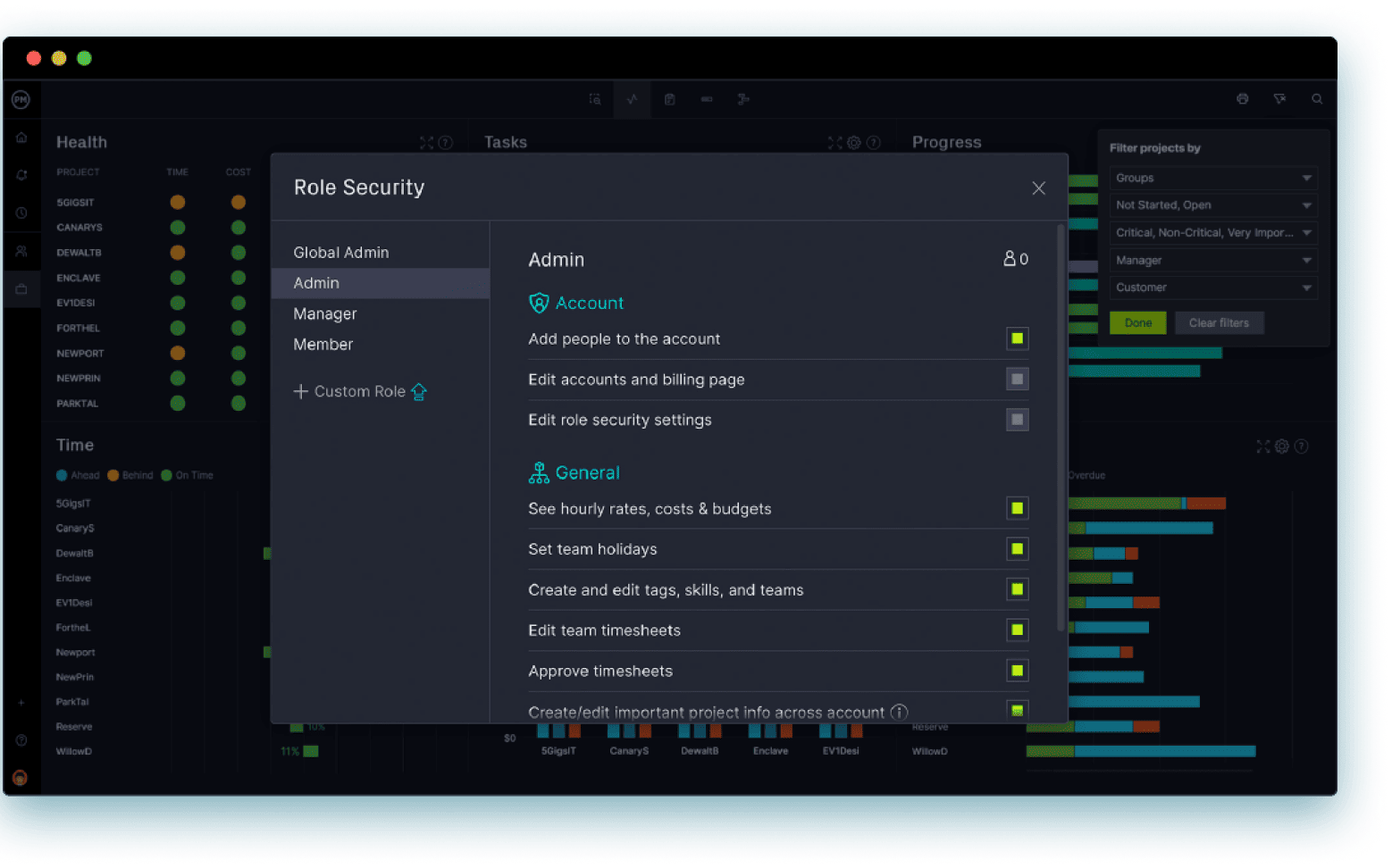
Customize user roles at the project level. Determine project access at the admin, manager, member or guest level or customize as many roles as you need. Set project security by team member, and use SSO with Google or Microsoft authentication protocols for additional security.

Integrate with over 1,000 business & project management apps

Add Google links to tasks for easy collaboration. Plus, sync to Google Drive & Google Calendars via Zapier.

Microsoft
Seamless importing and round-tripping of Microsoft Project plans, Excel files and CSV files.

Zapier
Keep the data flowing when you connect with Salesforce via our Zapier integration.






Powerful for managers. Flexible for teams.
Trusted by 35,000+ users worldwide.

“I love how it serves as a single source of truth for different work styles.”

“It made the management of all my ongoing projects very easy.”
Start your free 30-day trial
Deliver faster, collaborate better and innovate more effectively without the high price tag or months-long implementation required by other products.